Digital signage has become one of the most powerful tools for businesses to communicate, advertise, and engage with their audiences in real time. From the massive LED billboards lighting up city centers to the sleek menu boards in your favorite coffee shop, digital signage is everywhere. But what exactly is digital signage, and why are businesses across retail, healthcare, education, and hospitality rapidly replacing traditional static signs with dynamic digital displays?
In this comprehensive guide, we will explore everything you need to know about digital signage: how it works, the different types available, the key benefits it offers, and how to choose the right digital signage solution for your business.
What Is Digital Signage?
Digital signage is the use of electronic display screens such as LED, LCD, and OLED to showcase dynamic multimedia content including videos, images, animations, live data feeds, and interactive media. Unlike traditional printed signs that remain static until manually replaced, digital signage allows content to be updated remotely and instantly across one or thousands of screens from a centralized management system.
At its core, digital signage technology transforms how businesses communicate with customers, employees, and visitors. Whether it is a digital menu board in a restaurant, a wayfinding kiosk in a hospital, or a massive video wall in a shopping mall, digital signage delivers the right message to the right audience at the right time.

According to industry research, digital signage captures 400% more views than traditional static signage. This is because the human brain is naturally drawn to movement, bright colors, and changing visuals something static paper or cardboard signs simply cannot achieve.
How Does Digital Signage Work?
Understanding how digital signage works is essential for anyone considering an investment in this technology. A digital signage system operates through four interconnected components that work together seamlessly to deliver content to your audience.
1. Display Screens
The display screen is the most visible part of any digital signage display. These screens come in various types and sizes depending on the application:
- Commercial-grade LED displays: Built for 24/7 operation with high brightness levels exceeding 2500 nits, making them ideal for outdoor digital signage and bright indoor environments.
- Commercial-grade LCD displays: Energy-efficient screens perfect for indoor applications such as retail stores, offices, and healthcare facilities.
- Consumer-grade TVs: While more affordable, these are not designed for continuous use and may wear out quickly in commercial settings.
- Interactive touchscreens: Allow users to engage directly with content through touch, gestures, or mobile integration.
2. Media Players
A media player is a small computing device that connects to the display screen and streams content from the internet or a local server. Media players come in several forms:
- Set-top boxes (STBs): Compact devices similar to streaming boxes that connect via HDMI.
- HDMI dongles and USB sticks: Plug-and-play solutions for simpler setups.
- System-on-Chip (SoC) displays: Modern smart displays come with built-in media players, eliminating the need for external hardware. Android and Android TV are the most common operating systems for these built-in players.
3. Digital Signage Software (CMS)
The Content Management System (CMS) is the brain of your digital signage network. This cloud-based or on-premise software platform allows you to create, schedule, publish, and manage content across all your screens from a single dashboard. Key features of a robust digital signage CMS include:
- Drag-and-drop content creation with pre-built templates
- Content scheduling and playlist management
- Multi-screen and multi-location control
- Real-time content updates and synchronization
- User role management and access controls
- Analytics and reporting on content performance
- Support for multiple media formats including 4K video, HTML5, live feeds, and social media integration
4. Network Connectivity
A stable internet connection whether Wi-Fi, Ethernet, or cellular is essential for remote content management, real-time updates, and device monitoring. Cloud-based digital signage solutions rely on this connectivity to push content instantly to any screen, anywhere in the world.
Types of Digital Signage
Digital signage comes in many forms, each designed for specific applications and environments. Understanding the different types helps businesses choose the most effective solution for their needs.
Indoor Digital Signage
Indoor signage is designed for controlled environments such as retail stores, offices, hospitals, schools, and restaurants. These displays typically have lower brightness requirements compared to outdoor units but focus on high resolution and color accuracy. Common indoor applications include digital menu boards, lobby displays, conference room signage, and shelf-edge displays.
Outdoor Digital Signage
Outdoor digital signage is built to withstand harsh weather conditions including rain, snow, dust, and extreme temperatures. These displays feature robust enclosures, high brightness levels for sunlight readability, and advanced cooling systems. Outdoor digital signs are commonly used for highway billboards, transit station displays, stadium screens, and storefront advertising.
Interactive Digital Signage and Kiosks
Interactive digital signage uses touchscreen technology to allow users to actively engage with content. These touch screen kiosks are transforming customer experiences across industries:
- Retail: Self-service product browsers, virtual fitting rooms, and checkout kiosks
- Restaurants: Self-ordering menu boards that reduce wait times and improve order accuracy
- Healthcare: Patient check-in systems, wayfinding maps, and health information displays
- Transportation: Self-check-in at airports, ticket purchasing, and real-time schedule lookups
- Corporate: Visitor management systems, room booking displays, and employee directories
Digital Menu Boards
Digital menu boards have revolutionized the food and beverage industry. Unlike printed menus that require reprinting for every change, digital menu boards allow restaurants to update prices, items, and promotions instantly. They can also display high-quality food imagery, nutritional information, and dynamic pricing based on time of day or inventory levels.
Video Walls
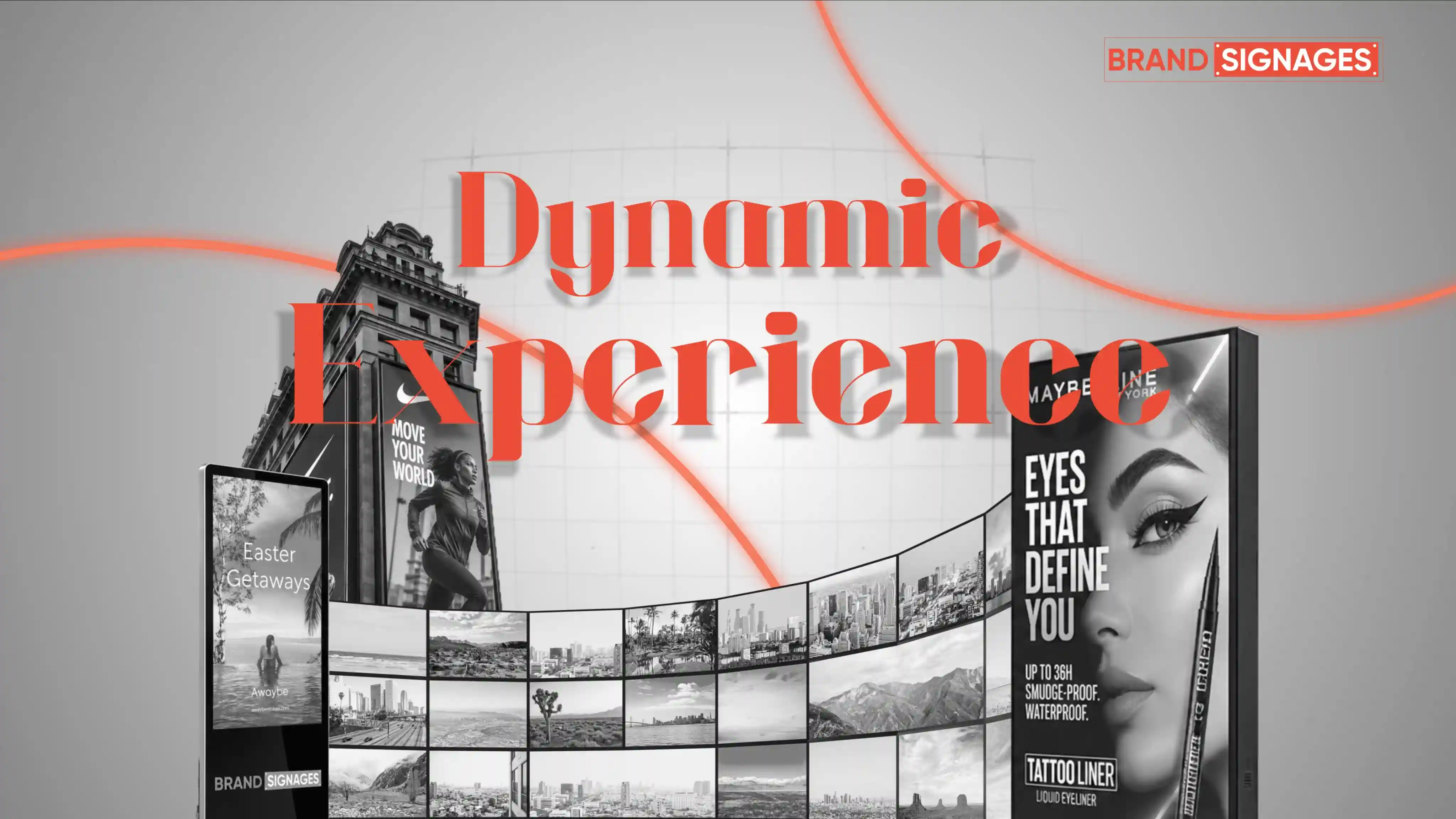
Video walls consist of multiple display screens tiled together to create one massive, seamless visual surface. These are used for high-impact branding in shopping malls, command centers, control rooms, museums, and large event venues. Video walls can be configured in various shapes and sizes, including curved configurations, to create immersive visual experiences.
Wayfinding Displays
Wayfinding digital signage helps people navigate complex environments such as hospitals, universities, airports, and corporate campuses. These displays show interactive maps, directional arrows, and real-time updates to guide visitors efficiently to their destinations.
Electronic Shelf Labels (ESL)
Electronic shelf labels are small digital displays attached directly to retail shelves. They show product prices, promotions, and detailed information that can be updated centrally across an entire store network within seconds. This technology is particularly valuable for retailers managing thousands of SKUs across multiple locations.
Digital Standees and Posters
Freestanding digital displays, often called digital standees or digital posters, are portable screens placed in high-traffic areas like hotel lobbies, hospital receptions, and trade show floors. They serve as digital welcome boards, event announcement displays, and promotional showcases.
Benefits of Digital Signage for Businesses
The shift from traditional signage to digital displays is driven by compelling business benefits that impact revenue, customer satisfaction, and operational efficiency.

1. Superior Audience Engagement
Digital signage captures attention far more effectively than static signs. The combination of motion, bright colors, and dynamic content naturally draws the human eye. Studies show that digital displays increase brand recall by up to 83% and can boost sales by up to 33% when used for in-store promotions.
2. Real-Time Content Updates
One of the most significant advantages of digital signage is the ability to update content instantly across all screens. Whether it is a price change, a new product launch, an emergency alert, or a weather update, businesses can push information to their audience in real time without any printing or manual installation.
3. Cost-Effective Long-Term Solution
While the initial investment in digital signage hardware and software may be higher than printing signs, the long-term savings are substantial. Businesses eliminate recurring costs for printing, shipping, and installing new signage. For companies that update content frequently such as restaurants with daily specials or retailers with seasonal promotions the return on investment is realized quickly.
4. Enhanced Customer Experience
Digital signage improves the overall customer journey by reducing perceived wait times, providing helpful information, and creating immersive brand experiences. Interactive kiosks empower customers to find information independently, while digital menu boards help diners make faster ordering decisions.
5. Targeted and Personalized Messaging
Advanced digital signage solutions can integrate with data sources to deliver personalized content based on time of day, weather conditions, audience demographics, or even individual customer profiles. A retail store might display different promotions in the morning versus evening, or a restaurant might highlight breakfast items before 11 AM and switch to lunch specials automatically.
6. Unified Brand Consistency
For businesses with multiple locations, digital signage ensures brand consistency across all stores, offices, or branches. A centralized CMS allows headquarters to control messaging, design standards, and campaign timing while giving local managers flexibility to add location-specific content.
7. Data-Driven Insights
Modern digital signage platforms provide analytics on content performance, audience engagement, and screen health. Businesses can track which content gets the most views, how long customers interact with displays, and whether digital campaigns drive measurable foot traffic or sales conversions.
8. Sustainability and Reduced Waste
By eliminating the need for printed materials, digital signage supports corporate sustainability goals. There is no paper waste, no ink, and no physical disposal of outdated signs making it an environmentally friendly alternative to traditional advertising methods.
Industries Using Digital Signage
Digital signage has found applications across virtually every industry, each leveraging the technology to solve unique communication challenges.
Retail and Shopping Malls
Retailers use digital signage for in-store advertising, product showcases, wayfinding, and interactive customer experiences. Video walls create stunning visual displays that draw shoppers into stores, while shelf-edge displays influence purchasing decisions at the point of sale. Major brands have also implemented AI-powered and AR-driven digital signage for virtual try-ons and personalized recommendations.
Healthcare and Hospitals
Hospitals and clinics use digital signage for patient wayfinding, queue management, health education, telemedicine support, and staff communication. Digital displays in waiting areas can show estimated wait times, health tips, and entertainment content to reduce patient anxiety. Wayfinding kiosks help visitors navigate complex medical campuses efficiently.
Education and Campuses
Schools, colleges, and universities deploy digital signage for class schedules, event announcements, emergency alerts, wayfinding, and student achievement displays. Digital bulletin boards in common areas keep students and staff informed, while interactive screens in libraries and learning centers provide access to educational resources.
Hospitality and Restaurants
Hotels use digital signage for guest welcome messages, event listings, wayfinding, and self-service check-in kiosks. Restaurants rely heavily on digital menu boards, self-ordering kiosks, and promotional displays to enhance the dining experience and streamline operations.
Transportation Hubs
Airports, train stations, and bus terminals use Passenger Information Display Systems (PIDS) to show real-time schedules, gate changes, delays, and safety announcements. Digital wayfinding helps travelers navigate terminals, while advertising displays generate revenue for transit authorities.
Corporate Offices
Corporate workplaces use digital signage for internal communications, KPI dashboards, meeting room displays, visitor management, and employee recognition. Cloud-based digital signage allows companies to broadcast consistent messaging across global offices while maintaining local relevance.
Government and Public Spaces
Government buildings and public spaces use digital signage for public service announcements, emergency alerts, digital queue management, and citizen information displays. These systems improve transparency and accessibility of government services.
How to Choose the Right Digital Signage Solution
Selecting the right digital signage solution requires careful consideration of your business goals, environment, budget, and technical requirements.
Assess Your Display Environment
Consider where your digital signage will be installed. Indoor displays need different specifications than outdoor displays. Factors like ambient light, viewing distance, weather exposure, and foot traffic all influence the type of screen, brightness level, and mounting hardware you need.
Define Your Content Strategy
What type of content will you display? Simple text and images require less processing power than 4K video walls or interactive HTML5 applications. Understanding your content needs helps determine the right media player and software capabilities.
Evaluate Software Features
Look for digital signage software that offers:
- Intuitive content creation tools with templates
- Flexible scheduling and playlist management
- Remote device monitoring and troubleshooting
- Multi-platform support (Android, Windows, Linux, SoC)
- Scalability from one screen to thousands
- Robust security features including encryption and role-based access
- Integration capabilities with third-party data sources
Consider Total Cost of Ownership
Beyond the initial hardware purchase, factor in software licensing, content creation, installation, training, and ongoing maintenance costs. Cloud-based solutions typically have lower upfront costs and easier scalability compared to on-premise systems.
Plan for Scalability
Choose a solution that can grow with your business. Even if you start with a single screen, select hardware and software that support expanding to multiple locations without requiring a complete system overhaul.
Prioritize Reliability and Support
Commercial-grade displays and professional digital signage platforms come with warranties, technical support, and regular software updates. This ensures your system remains secure, functional, and up-to-date with the latest features.
Digital Signage Hardware: What You Need to Know
The hardware component of digital signage is critical to system performance and longevity. Here is what businesses should understand about digital signage hardware.
Commercial vs. Consumer Displays
Commercial-grade displays are specifically engineered for continuous operation in public spaces. They feature higher brightness, better heat dissipation, reinforced frames, and longer warranties compared to consumer TVs. While consumer displays may seem cost-effective initially, they are not built for 24/7 use and will likely fail prematurely in commercial environments.
Media Player Specifications
Media players need sufficient processing power, memory, and storage to handle your content smoothly. For basic image and video playback, entry-level players work well. For 4K video, interactive content, or multiple content zones, more powerful players with dedicated graphics processing are necessary.
Mounting and Installation
Proper mounting ensures safety, optimal viewing angles, and professional appearance. Options include wall mounts, ceiling mounts, floor stands, and custom enclosures. Outdoor installations require weatherproof housing and secure mounting to withstand wind and environmental conditions.
Digital Signage Software: Cloud-Based vs. On-Premise
Digital signage software is available in two primary deployment models, each with distinct advantages.
Cloud-Based Digital Signage
Cloud-based solutions host the CMS on remote servers accessible via the internet. Benefits include lower upfront costs, automatic software updates, easy remote access from any location, and seamless scalability. This model is ideal for businesses with multiple locations or those that prefer minimal IT infrastructure management.
On-Premise Digital Signage
On-premise solutions run on servers within your organization, giving you complete control over data security and system configuration. This model suits businesses with strict data privacy requirements or those operating in environments with limited internet connectivity. However, it requires dedicated IT resources for maintenance and updates.
Future Trends in Digital Signage
The digital signage industry continues to evolve with emerging technologies that promise even greater impact and functionality.
Artificial Intelligence and Machine Learning
AI-powered digital signage can analyze audience demographics, emotions, and behavior to deliver personalized content in real time. Machine learning algorithms optimize content scheduling based on engagement data, ensuring the most effective messages reach the right audience.
Augmented Reality Integration
AR-enabled digital signage overlays digital content onto the real world through smartphone cameras or smart glasses. Retailers are using AR signage for virtual product try-ons, while museums use it to bring historical artifacts to life.
Touchless and Gesture Control
Post-pandemic, touchless interaction has gained popularity. Gesture control, voice activation, and mobile app integration allow users to interact with digital signage without physical contact, improving hygiene and accessibility.
Transparent and Flexible Displays
OLED technology is enabling transparent and curved displays that can be integrated into windows, storefronts, and architectural elements. These displays maintain visibility when off and become vibrant screens when activated, opening new possibilities for creative installations.
Data Integration and IoT Connectivity
Digital signage is increasingly connected to Internet of Things (IoT) sensors and business systems. Displays can show real-time inventory levels, weather data, social media feeds, sales metrics, and emergency alerts automatically pulled from integrated data sources.
Conclusion
Digital signage has transformed from a novelty technology into an essential business communication tool. Its ability to deliver dynamic, targeted, and real-time content makes it far superior to traditional static signage in virtually every measurable metric from audience engagement and brand recall to operational efficiency and cost savings.
Whether you are a small business looking to modernize your storefront or a large enterprise managing a global network of displays, understanding what digital signage is and how it works is the first step toward leveraging its full potential. By choosing the right combination of hardware, software, and content strategy, businesses can create compelling visual experiences that captivate audiences, drive sales, and build lasting brand impressions.
As technology continues to advance with AI, AR, and IoT integration, the capabilities of digital signage will only expand, offering even more innovative ways for businesses to connect with their customers. The question is no longer whether businesses should adopt digital signage, but how quickly they can implement it to stay ahead of the competition.
Frequently Asked Questions
What does digital signage mean?
Digital signage refers to the use of electronic display screens to show dynamic multimedia content for advertising, information, or entertainment purposes. It replaces traditional static signs with digital displays that can be updated remotely and instantly.
How effective is digital signage compared to traditional signage?
Digital signage is significantly more effective than traditional signage. Research indicates that digital displays capture 400% more views, increase brand recall by 83%, and can boost sales by up to 33% when used for in-store promotions.
What are the main components of a digital signage system?
A complete digital signage system consists of four main components: display screens, media players (or SoC displays), digital signage software (CMS), and network connectivity.
Can digital signage be managed remotely?
Yes, modern digital signage solutions are designed for remote management. Cloud-based CMS platforms allow administrators to update content, monitor screen health, troubleshoot issues, and manage settings across all displays from anywhere with an internet connection.
Is digital signage expensive to implement?
The cost of digital signage in India varies depending on the number of displays, screen size, hardware specifications, software requirements, and installation complexity. A small setup with 2-3 displays may cost anywhere between ₹50,000 and ₹4 lakh, while medium-sized deployments with multiple screens across locations can range from ₹4 lakh to ₹15 lakh or more. Although the initial investment depends on the scale of the project, digital signage often delivers significant long-term savings by reducing printing costs, minimizing manual updates, and enabling centralized content management, resulting in a strong return on investment for businesses.
What is the best operating system for digital signage?
The best operating system depends on your specific needs. Android and Android TV are popular for their cost-effectiveness and wide hardware compatibility. Windows offers greater flexibility for complex applications, while Linux provides stability for dedicated signage devices.
Can I use a regular TV for digital signage?
While regular consumer TVs can technically be used for digital signage, they are not recommended for commercial applications. Consumer TVs are not designed for continuous operation and lack the brightness, durability, and warranty coverage of commercial-grade displays.
What types of content can digital signage display?
Digital signage supports a wide range of content types including images, videos, animations, text, live data feeds, RSS feeds, social media streams, weather updates, HTML5 applications, and interactive content.
How secure is digital signage?
Professional digital signage platforms include security features such as encrypted data transmission, password protection, role-based access controls, screen lockdown capabilities, and regular security updates to protect against unauthorized access and cyber threats.
What industries benefit most from digital signage?
Digital signage benefits virtually every industry, with the highest adoption in retail, healthcare, education, hospitality, transportation, corporate offices, and government sectors. Any business that needs to communicate with audiences in real time can leverage digital signage effectively.