Digital signage has evolved far beyond simple electronic billboards. Today, businesses across every industry use strategically placed digital displays to drive sales, improve customer experience, streamline operations, and build brand loyalty. But the difference between digital signage that captivates and digital signage that gets ignored often comes down to one factor: the quality and relevance of the content and placement strategy.
This comprehensive guide presents 35 real-world digital signage examples and digital signage samples organized by industry. Each example includes the specific screen type, content format, operational purpose, and the measurable impact it delivers. Whether you are planning your first digital signage deployment or optimizing an existing network, these examples will show you exactly what works in practice.
Why Digital Signage Examples Matter
Before diving into specific examples, it is important to understand why studying real-world digital signage samples is valuable. The most common reason digital signage fails is not poor hardware or software. It is installing screens without a clear plan for what content goes on them and how that content serves a specific business objective.
Every example in this guide addresses a concrete business problem: driving foot traffic, reducing perceived wait times, increasing average order value, improving internal communication, or enhancing wayfinding. By studying these digital signage examples, you can identify patterns that succeed, avoid common pitfalls, and adapt proven strategies to your specific context.
Retail Digital Signage Examples
Retail was among the earliest adopters of digital signage, and the industry continues to push creative boundaries. Here are the most effective retail digital signage examples based on deployment scale and measurable results.
1. Window-Facing Brand Campaign Displays
High-brightness commercial displays ranging from 55 inches to 86 inches are mounted in storefront windows facing pedestrian or vehicle traffic. These screens run silent, looping brand campaigns with 60-second video sequences designed to capture attention from the street. The key specification is brightness: window-facing displays require 2,500 nits or higher to remain visible in direct sunlight.

Leading beauty and fashion brands use this format in flagship locations to drive foot traffic on commercial streets. The content typically features seasonal campaigns, new product launches, or brand storytelling videos. These displays serve as digital storefronts that work 24 hours a day, converting passersby into store visitors.
2. Entry Zone Hero Campaign Screens
One or two 55-inch commercial displays positioned at the store entrance show the current marketing campaign with 8 to 12-second slide rotations. No audio is used. The purpose is to set the seasonal tone within the first three steps a customer takes inside the store.
This digital signage sample works because it creates immediate visual context. A customer entering during a summer sale sees vibrant promotional imagery before they even reach the product racks. The content is synchronized with the physical merchandising layout, ensuring the digital message reinforces what the customer sees on the shelves.
3. Endcap Product Spotlight Displays
Portrait-oriented 32-inch or 43-inch screens mounted at endcaps show a featured product, its price, and a single supporting tagline. The content rotates in sync with the physical merchandising planogram. When the endcap switches from showcasing skincare to fragrances, the digital display updates automatically to match.
This example demonstrates how digital signage samples can integrate directly with inventory and merchandising systems. The display does not just show content. It becomes an extension of the product presentation, providing pricing clarity and feature highlights that static shelf tags cannot deliver.
4. Fitting Room Queue Indicators
Small 22-inch to 32-inch displays mounted near fitting rooms show real-time wait times and the number of available rooms. This digital signage example directly addresses a common retail friction point. During peak shopping hours, uncertainty about fitting room availability causes customers to abandon purchases or leave the store entirely.
The queue indicator reduces this friction by setting clear expectations. Customers see that the wait is two minutes rather than guessing it might be ten. Apparel retailers report that this simple transparency increases fitting room usage rates and reduces customer complaints during busy periods.
5. Loyalty Program Enrollment Screens
A dedicated slide within the content rotation displays email signup or loyalty program enrollment prompts with a scannable QR code. When paired with POS integration that tracks barcode scans, this digital signage example becomes a measurable conversion tool.
The key to success is making enrollment effortless. The QR code eliminates the need for customers to remember a website URL or fill out a paper form. Retailers who track this metric report enrollment rates increase significantly when the digital prompt is prominently displayed at checkout areas or entry zones.
6. User-Generated Content Walls
Portrait or landscape screens display curated user-generated content pulled from Instagram using brand-specific hashtags. The content appears in a grid layout that updates automatically as new posts are tagged. Lifestyle and wellness brands use this format to build store-to-social momentum, encouraging in-store customers to post and see their content featured.

This digital signage sample transforms customer advocacy into ambient marketing. Shoppers see real people using products in authentic settings, which builds trust more effectively than polished brand photography alone. The social proof element drives both engagement and purchase intent.
7. Interactive Product Browsers
Touchscreen kiosks placed in high-traffic areas allow customers to browse the full product catalog, check inventory across sizes and colors, and locate items within the store. This digital signage example bridges the gap between online convenience and in-store experience.
Customers who cannot find their size on the rack use the kiosk to confirm availability and receive directions to the correct aisle. Some implementations allow customers to request items be brought to the fitting room or checkout counter. The result is higher customer satisfaction and reduced lost sales from out-of-stock confusion.
Food Service and QSR Digital Signage Examples
Quick-service restaurants, cafes, and full-service dining establishments have embraced digital signage with particular enthusiasm. The ability to update menus instantly, promote limited-time offers, and reduce perceived wait times makes digital displays indispensable in food service.
8. Daypart-Driven Digital Menu Boards
Three 55-inch landscape commercial displays mounted above the counter automatically switch content based on time of day. Breakfast items display from opening until 11 AM. Lunch menus appear from 11 AM to 4 PM. Dinner selections run from 4 PM until closing. A promotional strip at the bottom rotates limited-time offers continuously.
This is the most common digital signage example in food service because it solves multiple problems simultaneously. It eliminates the cost and waste of printed menu boards. It ensures pricing accuracy across all locations. It enables rapid testing of new menu items. And it allows franchise operators to push brand-wide promotions while maintaining location-specific pricing.
9. Outdoor Drive-Through Menu Displays
Sealed outdoor displays with brightness ratings of 2,500 to 3,500 nits and IP-rated weatherproofing handle full-day operation in direct sunlight, rain, and temperature extremes. These displays show the full menu to drive-through customers and represent the highest-value screen real estate in QSR operations.
The content strategy for outdoor menu boards focuses on readability and decision speed. Items are organized by category with clear pricing. High-margin add-ons and combo suggestions appear as secondary prompts. The brightness specification ensures visibility during dawn, midday, and dusk conditions when drive-through volume peaks.
10. Order Confirmation Screens
Smaller 22-inch to 32-inch displays at the pickup counter or drive-through window show the order being prepared with itemized details. This digital signage example addresses a specific customer anxiety: the fear that their order was not heard or recorded correctly.
By displaying the order in real time, the confirmation screen eliminates the need for customers to interrupt staff with verification questions. It reduces remakes and refunds. And it creates a smoother handoff experience that improves satisfaction scores in customer surveys.
11. Kitchen Display Systems
Back-of-house screens run the order queue for kitchen staff, showing incoming orders with timestamps, modifications, and priority flags. Lower resolution is acceptable because readability is the only critical specification. Color coding indicates order age, with items turning red if they exceed target preparation times.
This digital signage sample improves kitchen efficiency by replacing paper tickets that can be lost, misread, or delayed. Managers can monitor kitchen performance through the same system, identifying bottlenecks and adjusting staffing in real time.
12. Limited-Time Offer Promotion Strips
A horizontal strip display integrated into the main menu board runs a 4 to 6 item rotation of limited-time offers. The content management system pulls pricing directly from the POS system, ensuring the digital promotion always matches the register price. When an LTO sells out, it disappears from the strip automatically.

This example illustrates the power of system integration. The digital signage does not exist in isolation. It connects to inventory, pricing, and sales data to deliver accurate, current information without manual updates.
13. Register Upsell Screens
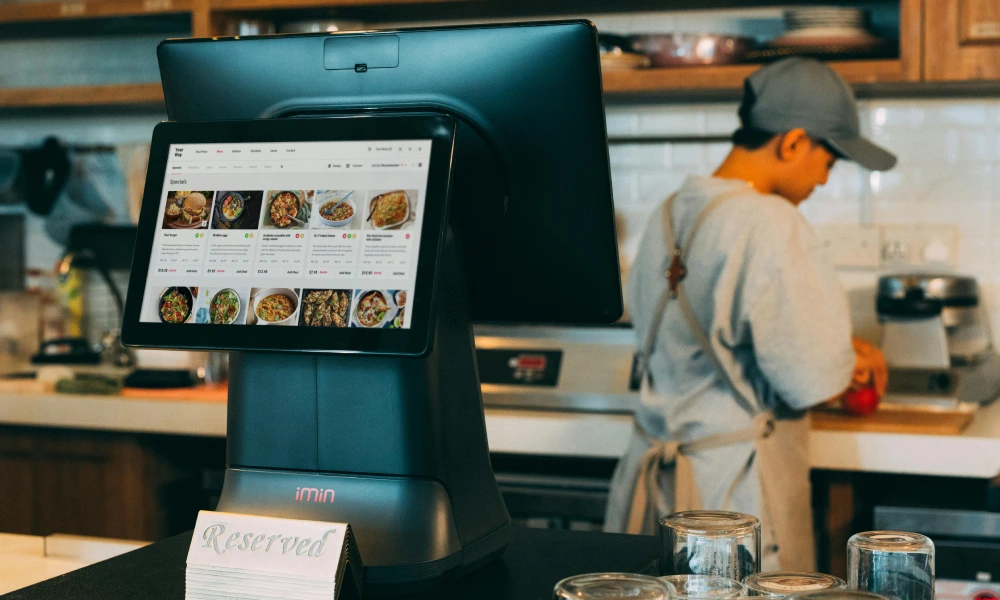
A single 32-inch landscape screen at the customer-facing register shows add-on suggestions, dessert features, and loyalty messaging while the order is being processed. This digital signage example targets the highest-intent moment in the customer journey: the point of purchase.
Content rotates between dessert imagery, drink pairings, and loyalty program benefits. The goal is to increase average order value by 10 to 15 percent through suggestive selling that feels helpful rather than pushy. Because the content is visual and dynamic, it captures attention more effectively than verbal upsell attempts by cashiers.
Corporate and Office Digital Signage Examples
Corporate environments use digital signage for internal communications, visitor management, employee engagement, and operational efficiency. The following examples represent the most impactful corporate digital signage samples.
14. Lobby Welcome Screens
Large 65-inch to 86-inch landscape commercial displays in reception areas alternate between brand video, company news, and personalized welcome messages. Integration with visitor management systems allows the screen to greet arriving guests by name and display their meeting details.
This digital signage example creates a strong first impression for clients, partners, and job candidates. It signals organizational sophistication and attention to detail. Showroom-driven brands extend this concept by using the lobby screen to showcase product portfolios and design philosophy.
15. Internal Communication Displays
Break room and floor screens run internal communications including town hall reminders, new hire announcements, policy updates, and holiday schedules. Content rotates every 15 to 30 seconds to ensure messages are seen by employees who pass the screen at different times.
The key success factor is content ownership. Organizations that assign a specific person or team to maintain internal signage see dramatically higher engagement than those that set up screens and forget them. The most effective digital signage samples in this category update content at least weekly.
16. Conference Room Availability Displays
Small 10-inch to 22-inch touchscreen screens outside each meeting room show current and upcoming bookings, with a tap-to-book function for impromptu meetings. Integration with Google Calendar or Outlook ensures the display always reflects the live schedule.
This digital signage sample eliminates the common office frustration of finding an empty room that appears booked, or worse, walking into an occupied room that appears empty. The touch functionality adds immediate value by allowing on-the-spot reservations without returning to a desk.
17. Employee Recognition Walls
Displays feature birthdays, work anniversaries, new hires, quarterly awards, and team achievements. Content auto-pulls from HRIS systems so no manual updates are required. The recognition rotates continuously, ensuring every featured employee receives visibility.
This example demonstrates how digital signage can support company culture at scale. In organizations with hundreds or thousands of employees, personal recognition through digital displays creates connection and morale in ways that email announcements cannot replicate.
18. KPI Dashboard Displays
Sales figures, ticket counts, net promoter scores, support queue depths, and other business metrics pull directly from BI tools and display on screens in high-traffic areas. Service operations benefit most from this format because teams see performance data daily without logging into separate systems.
The digital signage sample works when metrics are simple, current, and actionable. A screen showing yesterday's sales total is interesting. A screen showing today's sales versus target with a progress bar is motivating. The difference is context that drives behavior.
19. Wayfinding Directory Screens
Portrait 43-inch to 55-inch touchscreen displays at building entries show tenant directories, floor maps, elevator status, and directional guidance. They replace printed building directories that become outdated immediately after any tenant change.
This example is particularly valuable in multi-tenant office buildings, corporate campuses, and healthcare facilities where visitors struggle to navigate complex layouts. The interactive map allows users to search by name or department and receive turn-by-turn directions to their destination.
Healthcare Digital Signage Examples
Healthcare facilities face unique communication challenges: anxious patients, complex navigation, strict privacy requirements, and the need for real-time updates. These digital signage examples address those challenges directly.
20. Waiting Room Education Displays
A 50-inch to 65-inch landscape display in the waiting area runs 20-second patient education slides, provider bios, and calming ambient content. News programming is intentionally avoided because it can increase patient stress rather than reduce it.
This digital signage sample improves the waiting experience by providing value rather than passive entertainment. Patients learn about preventive care, new services, and their care team. The content reduces perceived wait times by engaging attention productively.
21. Live Wait Time Displays
Small screens show real-time wait estimates pulled from the queue management system. This is consistently rated as one of the highest-value digital signage examples in patient experience surveys. Uncertainty about wait duration is a primary source of patient dissatisfaction.
When patients see that the estimated wait is 12 minutes, they can make informed decisions about whether to wait, reschedule, or step out briefly. The transparency builds trust and reduces front desk complaints that strain staff resources.
22. Hospital Wayfinding Kiosks
Touch screens at major building junctions show routes to departments, rooms, elevators, and amenities. Critical in large hospitals where layouts are non-obvious and signage alone is insufficient for first-time visitors.
The most effective implementations include multiple language support, accessibility options for wheelchair routes, and integration with appointment systems that can guide patients directly to their scheduled location. This digital signage example reduces missed appointments caused by patients getting lost.
23. Pharmacy Queue and Refund Notices
Numbered ticket displays tied to the pharmacy queue show current numbers being served and estimated wait times. Rotating slides address common questions about refill policies, insurance requirements, and seasonal vaccination availability.
This example serves dual purposes. The queue display manages expectations. The educational slides reduce repetitive questions that slow down pharmacy staff. Together, they improve both patient experience and operational efficiency.
Education Digital Signage Examples
Schools, colleges, and universities use digital signage for everything from emergency alerts to cafeteria menus. These examples show the breadth of educational applications.
24. Hallway Announcement Displays
Landscape 55-inch displays in main hallways run schedules, athletic results, club announcements, and event promotions. The override-to-alert capability is the non-negotiable specification. In an emergency, all screens instantly switch to safety instructions regardless of scheduled content.
This digital signage sample serves daily communication needs while providing a critical safety function. Schools that have used the emergency override feature report that the speed of message distribution far exceeds any alternative communication method.
25. Cafeteria Digital Menu Boards
Portrait or landscape menu boards positioned by lunch lines show daily meal options with photos of actual prepared food rather than stock images. Content is daypart-driven, with breakfast menus displaying until 10:30 AM and lunch menus appearing thereafter.
The visual appeal of real food photography increases meal participation rates. Nutritional information can be displayed on demand through touchscreen interaction. For students with dietary restrictions, allergen icons provide at-a-glance safety information.
26. Campus Wayfinding Kiosks
Outdoor or vestibule touchscreen kiosks at major intersections display building maps, event schedules, transit information, and parking availability. They reduce the volume of directional questions that campus staff field daily.
During orientation and admissions events, these kiosks become essential tools for visitors unfamiliar with campus layout. Integration with event calendars allows the displays to highlight today's scheduled activities and guide attendees to the correct venues.
27. Lecture Hall Information Displays
Small screens outside each lecture hall show the current class in session and the next scheduled class with instructor name and course title. This digital signage example eliminates the confusion of students checking room numbers against printed schedules that may have changed.
The content pulls from the academic scheduling system, ensuring accuracy even when last-minute room changes occur. Students report that these displays reduce anxiety about being in the wrong place, particularly during the first weeks of a new term.
28. Library Resource Availability Screens
A display at the library entrance shows operating hours, study room availability, current event schedules, and featured resource collections. Students can see at a glance whether group study rooms are available before entering the building.
This digital signage sample improves library utilization by making resource availability transparent. When students see that study rooms are fully booked, they can make alternative plans rather than searching the building unsuccessfully.
Hospitality Digital Signage Examples
Hotels, resorts, and event venues use digital signage to enhance guest experience, streamline operations, and create memorable brand moments.
29. Hotel Lobby Welcome and Concierge Displays
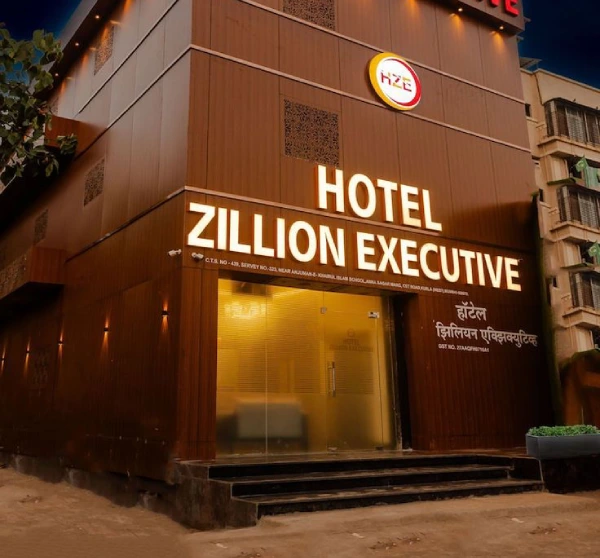
A large-format display in the lobby runs brand content, local weather, daily event schedules, and concierge highlights. Some implementations pair the display with a touchscreen kiosk for self-service check-in, room service ordering, and local attraction browsing.
This digital signage example serves as a 24-hour concierge that never takes a break. Guests arriving late at night can still access information about breakfast hours, gym locations, and checkout procedures without waiting for front desk staff.
30. Banquet Event Direction Displays
Small portrait displays outside each banquet room show the event name, host organization, and scheduled time. These replace printed easel signs that must be manually changed between events and often display incorrect information when schedules shift.
The content integrates with event management software, updating automatically when room assignments change. Event planners appreciate the professional appearance and accuracy. Venue staff save hours of manual sign management each week.
31. In-Room TV Welcome Pages
Hotel television systems display a custom welcome page with guest name, hotel information, local recommendations, and service ordering options. While technically a different category from standalone digital signage, the content strategy and management approach are identical.

This digital signage sample personalizes the guest experience from the moment they enter the room. Integration with property management systems allows dynamic content based on guest preferences, loyalty status, and stay history.
32. Spa and Wellness Ambient Screens
Quiet, low-stimulation displays in spa waiting areas and treatment rooms show nature footage, brand photography, and calming color transitions. Sound is always off. Slide transitions are slow and gentle.
The purpose is not information delivery but atmosphere creation. These digital signage examples extend the spa brand into the visual environment, reinforcing the relaxation experience that guests expect. Bright, fast-changing content would undermine the therapeutic intent.
Content Types That Power Great Digital Signage Examples
Beyond industry-specific applications, certain content formats consistently produce strong results across all digital signage deployments. Understanding these content types helps you design digital signage samples that engage rather than ignore.
Social Media Integration
Pulling Instagram feeds, Twitter mentions, or Facebook reviews directly onto digital displays creates authentic social proof. User-generated content resonates more deeply than brand-created advertising because it shows real customers in real situations. The integration also bridges online and offline brand presence, encouraging customers to engage on social media knowing their content may appear on screen.
Video Content
Research confirms that viewers are ten times more likely to engage with dynamic video content than static messages. Video content for digital signage should be 15 to 60 seconds, designed for silent viewing with clear visual storytelling, and formatted in 16:9 aspect ratio for standard displays. Product demonstrations, customer testimonials, brand stories, and event highlights all translate effectively to digital signage video.
Live Data Feeds
Weather updates, news headlines, stock tickers, sports scores, and currency exchange rates provide evergreen content that never goes stale. These feeds work best as secondary content zones within a larger layout, providing ambient information that keeps viewers looking at the screen while primary promotional content displays in the main zone.
Digital Menu Boards
The food service industry has standardized on digital menu boards because they solve real operational problems. Content should feature actual photography of prepared dishes rather than stock images. Pricing should be large and legible from a distance. Categories should be organized logically. And daypart scheduling should switch menus automatically without staff intervention.

Sales and Performance Dashboards
Data-driven organizations display real-time metrics on screens where employees gather. The most effective dashboards show simple, visual representations of key performance indicators with clear targets and progress indicators. Complex spreadsheets or detailed reports fail on digital signage because they cannot be read at a glance from a distance.
QR Code Integration
QR codes bridge the gap between digital signage and mobile action. A screen displaying a loyalty program prompt with a QR code allows instant enrollment without typing URLs. A product showcase with a QR code links directly to the online purchase page. A restaurant menu with a QR code enables contactless ordering. The key is ensuring the QR code is large enough to scan from the typical viewing distance.
Customer Reviews and Testimonials
Displaying reviews from TripAdvisor, Yelp, Google, or industry-specific platforms builds credibility in waiting areas, lobbies, and checkout zones. The most effective approach rotates between several recent reviews rather than displaying a single static testimonial. Fresh reviews signal ongoing customer satisfaction rather than a one-time positive experience.
Event and Schedule Displays
Conference room availability, class schedules, event calendars, and transit timetables all benefit from digital display. The critical requirement is system integration. If the digital display does not automatically update when the underlying schedule changes, it will quickly become a source of misinformation rather than a helpful tool.
Quick Notices and Announcements
Simple text-based notices work well for room changes, meeting reminders, policy updates, and temporary closures. The key is brevity and visibility. A notice that requires more than five seconds to read will be ignored by passersby. Use large fonts, high contrast, and minimal text to ensure readability.
Sponsored and Partner Content
For organizations with advertising partnerships or sponsorship relationships, digital signage provides additional revenue streams. Partner content should be clearly labeled and mixed with primary content to avoid overwhelming the audience with promotional material. The best implementations pair sponsor messaging with genuinely useful information or entertainment.
Patterns That Make Digital Signage Examples Successful
After reviewing hundreds of deployments, several consistent patterns emerge among digital signage examples that deliver measurable business results.
Assign Clear Ownership
Content goes stale rapidly when no one is responsible for maintaining it. The most successful digital signage networks have a designated content owner who reviews performance, updates messaging, and ensures relevance. This ownership should be documented, with backup coverage for vacations and absences.
Integrate Live Data Wherever Possible
Menu pricing pulled from POS systems, wait times from queue management, KPIs from business intelligence tools, and schedules from calendar systems ensure the screen content stays current without manual updates. The digital signage that updates itself never goes stale and never displays incorrect information.
Match Content Duration to Dwell Time
Short-attention contexts like checkout lines and drive-through menus need concise, scannable content. Long-dwell environments like waiting rooms and lobbies can support deeper content including videos, detailed information, and interactive elements. Misaligning content length with audience dwell time is a primary cause of digital signage underperformance.
Test in the Actual Environment Before Launch
Always verify readability, color accuracy, and contrast on the physical screen in the actual lighting conditions where it will operate. Content that looks perfect on a designer's monitor may be unreadable under fluorescent lighting, near windows, or at the viewing distance where the audience actually stands.
Prioritize Visual Hierarchy
Every digital signage sample should have one clear focal point. Attempting to communicate multiple messages simultaneously dilutes attention and reduces comprehension. Use size, color, and position to guide the viewer's eye to the most important element first, then secondary information, then supporting details.
Common Mistakes to Avoid in Digital Signage Content
Just as successful patterns exist, common failure patterns recur across underperforming digital signage deployments.
Overloaded Text Slides
Slides with five or more bullet points are universally ignored. Viewers passing a digital display do not stop to read paragraphs. If a message cannot be understood in three seconds, it will not be understood at all. Limit text to a headline and one supporting line per slide.
Generic Stock Photography
Images of generic smiling customers in staged settings read as filler content within seconds. Authentic photography of actual products, real customers, or genuine workplace moments creates connection. If you must use stock imagery, select images that feel specific and genuine rather than broadly generic.
Rapid Content Rotation
Changing menu items every 8 seconds prevents customers from reading, processing, and deciding. In food service, each menu category should remain visible long enough for a customer to locate their preference. In retail, product spotlights should display long enough for the viewer to register the item and price. Test rotation timing with actual customers to find the optimal pace.
Unnecessary Audio
Sound on ambient digital signage is hostile in nearly every environment. It creates noise pollution in offices, competes with music in retail, and disturbs the therapeutic atmosphere in healthcare and hospitality. The only contexts where audio is appropriate are dedicated video walls in controlled environments and interactive kiosks where users opt in to sound.
Neglected Networks
Digital signage that displays the same content for months trains viewers to ignore it. Even worse, outdated content undermines credibility. A screen showing a promotion that ended three weeks ago signals organizational neglect. Establish a content refresh schedule and stick to it.
How to Apply These Digital Signage Examples to Your Business
Translating these digital signage samples into your own deployment requires a structured approach.
Step 1: Define Your Primary Objective
Each digital signage example in this guide serves a specific purpose. Before selecting hardware or designing content, identify what you want to achieve. Are you driving foot traffic, reducing wait time complaints, increasing average order value, improving internal communication, or enhancing visitor navigation? The objective determines every subsequent decision.
Step 2: Map Audience Journeys
Understand where your audience stands, how long they remain, what information they need, and what action you want them to take. A customer in a drive-through line needs different content than a patient in a waiting room. Map these journeys to identify the optimal screen placement, size, and content format for each touchpoint.
Step 3: Select Appropriate Hardware
Match screen specifications to environment requirements. Window-facing displays need high brightness. Outdoor displays need weatherproofing. Interactive kiosks need durable touch surfaces. Conference room displays need calendar integration. The digital signage examples that succeed use hardware specifications appropriate to their specific environment.
Step 4: Design for the Viewing Context
Create content that works at the actual viewing distance, lighting conditions, and attention span of your audience. Test font sizes, color contrast, and image clarity on the physical screen before finalizing designs. What looks perfect on a computer monitor may be illegible on a screen mounted 15 feet away in bright sunlight.
Step 5: Integrate with Business Systems
Wherever possible, connect digital signage to existing business systems. POS integration ensures menu accuracy. Calendar integration ensures schedule displays are current. Queue management integration ensures wait times are accurate. These integrations transform digital signage from a manual communication tool into an automated business system.
Step 6: Establish Content Governance
Define who creates content, who approves it, how often it updates, and what happens during emergencies. Document these processes and assign clear ownership. The digital signage examples that maintain long-term value all have governance structures that prevent content decay.
Step 7: Measure and Optimize
Establish metrics that connect digital signage performance to business outcomes. Track foot traffic changes after installing window displays. Measure average order value before and after adding register upsell screens. Survey patient satisfaction before and after deploying wait time displays. Use this data to refine content, placement, and strategy continuously.
Conclusion
The 35 digital signage examples and samples presented in this guide demonstrate that successful digital signage is never about the technology alone. It is about solving real business problems through strategically designed content delivered at the right place and time.
From retail window displays that drive foot traffic to hospital wayfinding kiosks that reduce patient anxiety, each example illustrates a specific application with measurable impact. The patterns that succeed are consistent: clear ownership, live data integration, context-appropriate content duration, and continuous measurement and optimization.
As you plan your own digital signage deployment, use these examples as inspiration rather than templates. Your audience, environment, and business objectives are unique. The most effective digital signage samples are those adapted to your specific context with content that speaks directly to your customers, employees, or visitors.
The technology to implement these examples is more accessible than ever. The difference between digital signage that transforms your business and digital signage that becomes expensive wall decoration lies entirely in the strategy, content, and commitment to ongoing optimization. Start with a clear objective, study the examples that match your challenge, and build from there.
Frequently Asked Questions
What makes a digital signage example effective?
Effective digital signage examples share three characteristics: they address a specific business objective, they are designed for the actual viewing context, and they are maintained with fresh, relevant content. A display that drives foot traffic, reduces complaints, or increases sales is effective. A display that merely exists is not.
How do I choose the right digital signage example for my industry?
Start by identifying your primary business challenge. If you are a retailer struggling with fitting room queues, the queue indicator example applies directly. If you are a restaurant needing menu flexibility, the daypart-driven digital menu board is the right starting point. Match the example to your specific operational need rather than copying what looks impressive in other industries.
What content works best for digital signage?
Video content generates the highest engagement, followed by high-quality photography, live data feeds, and concise text notices. The best content type depends on your objective and audience context. Video excels at brand storytelling. Photography works for product showcases. Data feeds provide ambient value. Text notices handle urgent communication.
How often should digital signage content be updated?
At minimum, review and refresh content monthly. Promotional content should update with each campaign cycle. Menu boards should update with each menu change. News and data feeds update automatically. Emergency alert content should be tested quarterly. The key is establishing a refresh rhythm that prevents content from feeling stale.
Can small businesses benefit from digital signage examples designed for large enterprises?
Absolutely. Many digital signage examples scale effectively from single-location businesses to global enterprises. A single digital menu board in a coffee shop uses the same content principles as a hundred-location QSR chain. The hardware investment is smaller, but the operational benefits are proportionally similar.
What is the most common mistake in digital signage deployment?
The most common mistake is installing screens without a content strategy. Organizations purchase displays, mount them prominently, and then struggle to create and maintain content that serves a business purpose. The digital signage examples that succeed all begin with content planning before hardware selection.
How do I measure the ROI of digital signage?
Connect digital signage metrics to business outcomes. Track sales before and after promotional displays. Measure customer satisfaction scores before and after queue management screens. Count internal communication response rates before and after digital bulletin boards. Compare printing and labor costs before and after replacing static signage. ROI becomes clear when you measure what matters to your business.
Should digital signage include sound?
In nearly all cases, no. Sound creates environmental disruption and rarely improves message comprehension. The exceptions are dedicated video walls in controlled environments, interactive kiosks where users opt in to audio, and specific wayfinding instructions in noisy transit environments. Default to silent operation unless you have a compelling reason to add audio.
What screen size should I choose for my digital signage?
Screen size depends on viewing distance and content type. For close viewing under 6 feet, 32 to 43 inches works well. For medium distances of 6 to 15 feet, 55 to 65 inches is standard. For long distances or high-impact applications, 75 to 86 inches or video walls are appropriate. Always test readability at the actual viewing distance before finalizing size.
Can I repurpose existing content for digital signage?
Yes, with adaptation. Social media content, website imagery, marketing videos, and presentation slides can all be repurposed. However, content must be reformatted for the display resolution, aspect ratio, and viewing context. A website banner designed for desktop viewing will not translate directly to a portrait menu board. Adaptation is essential.
How do I prevent digital signage content from going stale?
Assign ownership, establish refresh schedules, integrate live data feeds, and use content scheduling tools to automate transitions. The most reliable method is connecting digital signage to business systems that update automatically. When content pulls from live inventory, calendars, or social media, it stays fresh without manual intervention.
What is the difference between digital signage and traditional signage?
Traditional signage uses printed or static materials that remain unchanged until manually replaced. Digital signage uses electronic displays that can show dynamic, updating content including video, animation, live data, and interactive elements. Digital signage enables real-time updates, remote management, audience measurement, and content personalization that static signage cannot provide.